VariPOS – Vari Logic InfoTech
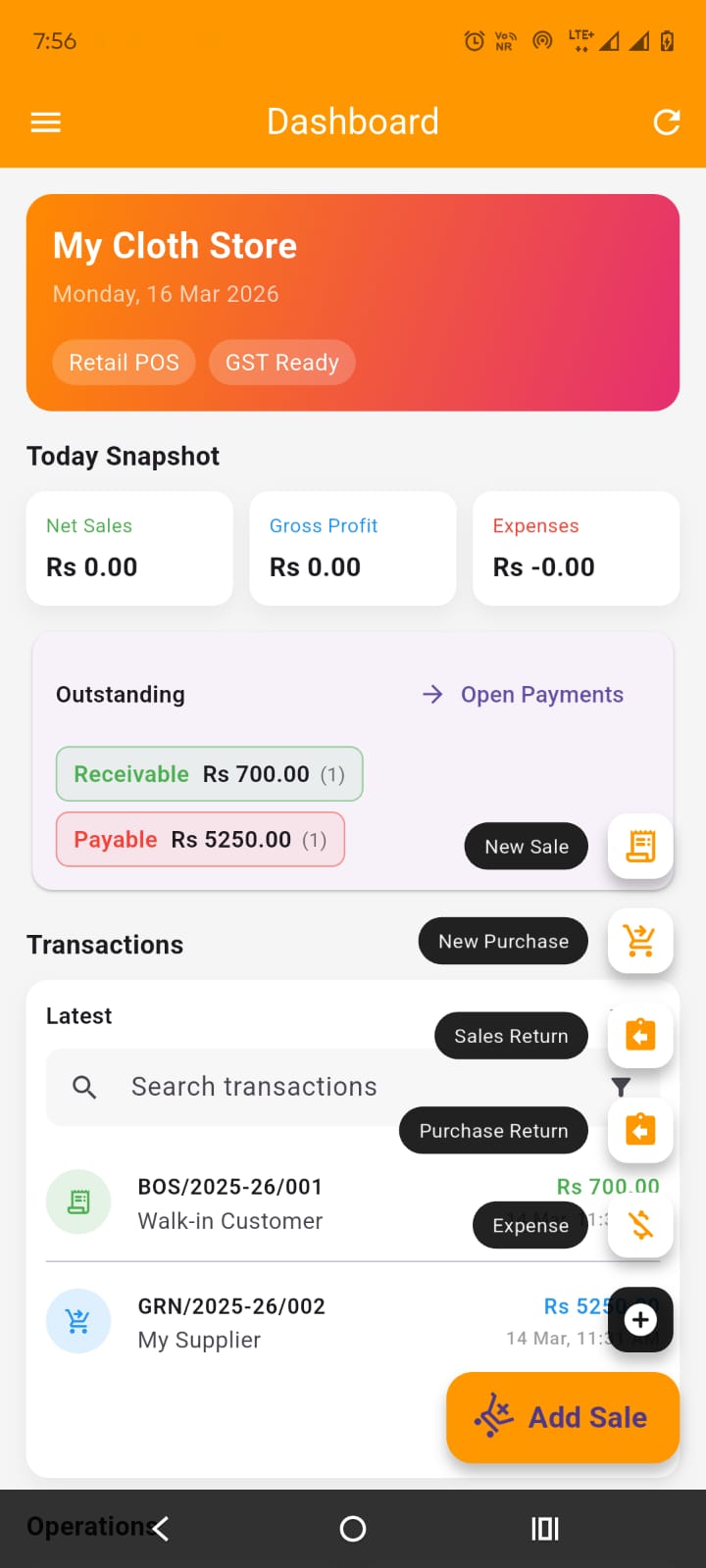
VariPOS visual overview Live Product

VariPOS

VariPOS is a free-forever operational POS platform for shops with billing, inventory, GST workflows, financial controls and reporting.

Add to Cart (Free) Request Demo

Feature Coverage

📦 Billing & Inventory

  • Sales and purchase flows
  • Stock movement logs
  • Product/service handling

💳 Payments & Ledgers

  • Outstanding management
  • Party ledger views
  • Advance/payment tracking

📈 Reports & Finance

  • P&L (summary/details)
  • Itemwise/customerwise analytics
  • Capital and ROI tracking

🧾 Compliance

  • GST-aware documents
  • FY management and closures
  • Return correction controls

🛠️ Operations

  • Import/export support
  • PDF/Excel outputs
  • Backup and restore

🏢 Scalability

  • Enterprise-ready architecture
  • Audit-oriented data model
  • Roadmap for AI modules

Why VariPOS Stands Out

Indicative market-level comparison based on publicly listed capabilities. Evaluate against your business workflow before selection.

Capability VariPOS Typical SME Billing Apps (e.g., Vyapar/BillBook category)
Financial Year controls + closure workflow Built-in, workflow-driven Varies by product/version
Deep return correction policy controls Designed with compliance-oriented flags Often basic return workflow
Integrated profitability views P&L + item/customer profitability paths Varies
Custom enterprise extensibility Roadmap-driven and modular Product dependent
Cost model Free forever core (as positioned) Usually subscription/plan-based

Step-by-Step Tutorial

Detailed implementation flow from first login to operational governance.

1) Initial Setup

  1. Open Shop Settings and configure business profile, GST scheme and invoice metadata.
  2. Set financial year start date and verify current FY label in dashboard.
  3. Configure transaction numbering, print format and logo/signature.

2) Master Data Setup

  1. Create product/service catalog with GST rates, SKU and price settings.
  2. Import customer and supplier data from Excel/CSV if available.
  3. Set opening stock and opening balances where applicable.

3) Daily Operations

  1. Create sales invoices and purchase entries with payment mode tracking.
  2. Use returns modules for sales return and purchase return with compliance checks.
  3. Post expenses with correct payment mode and category mapping.

4) Finance & Control

  1. Track outstanding in payment home and ledger screens.
  2. Review P&L, itemwise/customerwise profitability and stock logs.
  3. Use capital and ROI screens for owner-level fund tracking.

5) FY Close & Compliance

  1. Close current FY from Financial Year screen after period verification.
  2. Use GST returns workspace for GSTR-1, GSTR-3B, CMP-08 and GSTR-4 workflows.
  3. Export filing workbooks and preserve reports for audit readiness.

UI Screenshot Placeholders

Replace these placeholders with real screenshots from your app for product storytelling.

Placeholder Image: Dashboard Snapshot
Recommended size: 1600 x 900
Placeholder Image: Invoice Create Screen
Recommended size: 1080 x 1920
Placeholder Image: GST Returns Screen
Recommended size: 1600 x 900
Placeholder Image: Payments & Outstanding
Recommended size: 1600 x 900
Placeholder Image: P&L Reports
Recommended size: 1600 x 900
Placeholder Image: Financial Year Control
Recommended size: 1600 x 900