VariPOS Documentation
Read module-by-module like an operations story. Every scene tells what to do, what to check, and what outcome to expect.
Read module-by-module like an operations story. Every scene tells what to do, what to check, and what outcome to expect.
The counter is live now: invoice creation, payment capture, and customer flow happens here.
By tapping on the Sales on the dashboard or Sale Entry menu item, Invoices (sales) screen opens up.
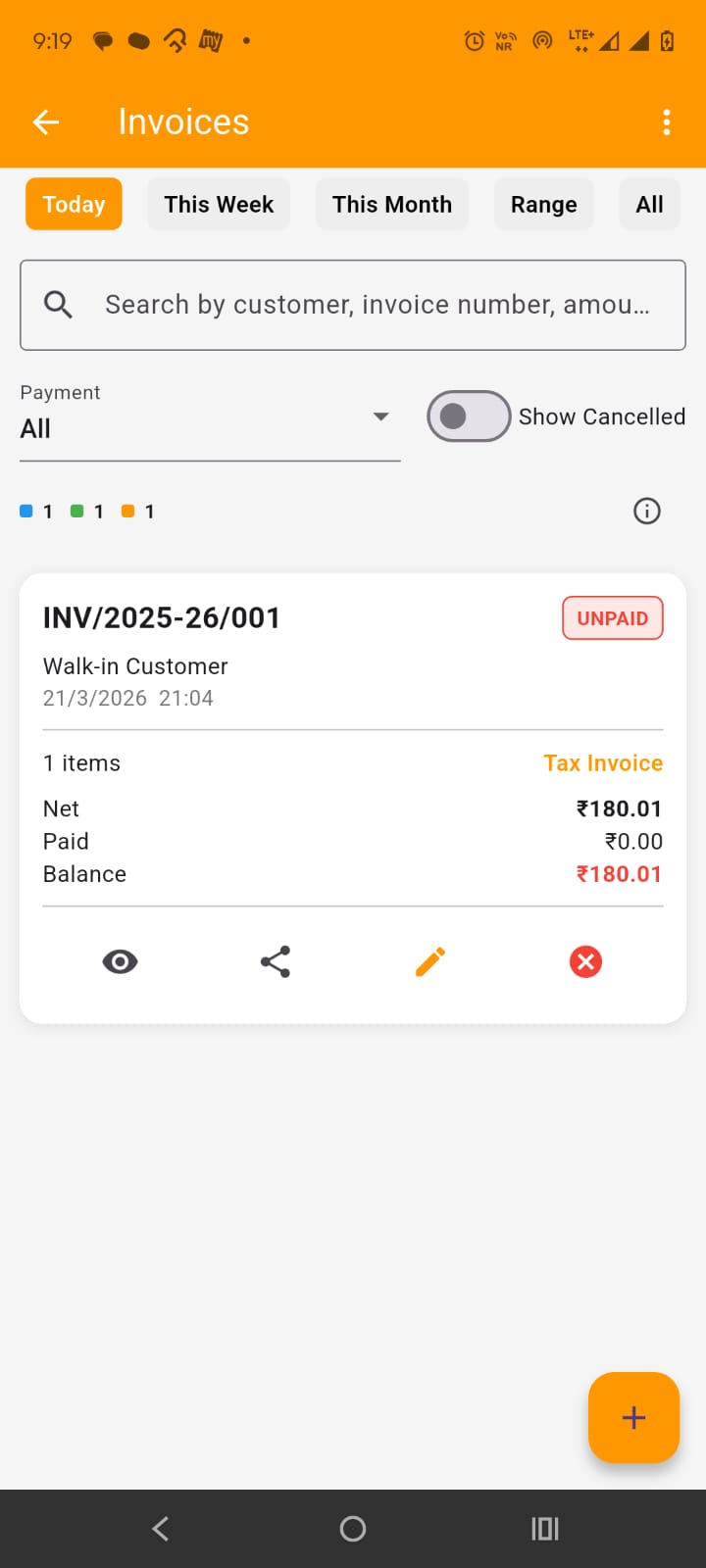
Here, on this screen, you have the list of all invoices that you created. By default, only today's invoices are shown but you can filter them by This week, this month, date range or view them all. At the top in the app bar, by tapping the three dots at the right side, you get the options to Download Excel, Share Pdf or print preview the list of invoices shown in the screen (with the filters applied).
Below date filters, you have the search field which can be used to search invoices by customer name, invoice number, amount etc. Below that you get the drop down to filter by payment status and show/hide cancelled invoices. Below that you also have the invoices count stats.
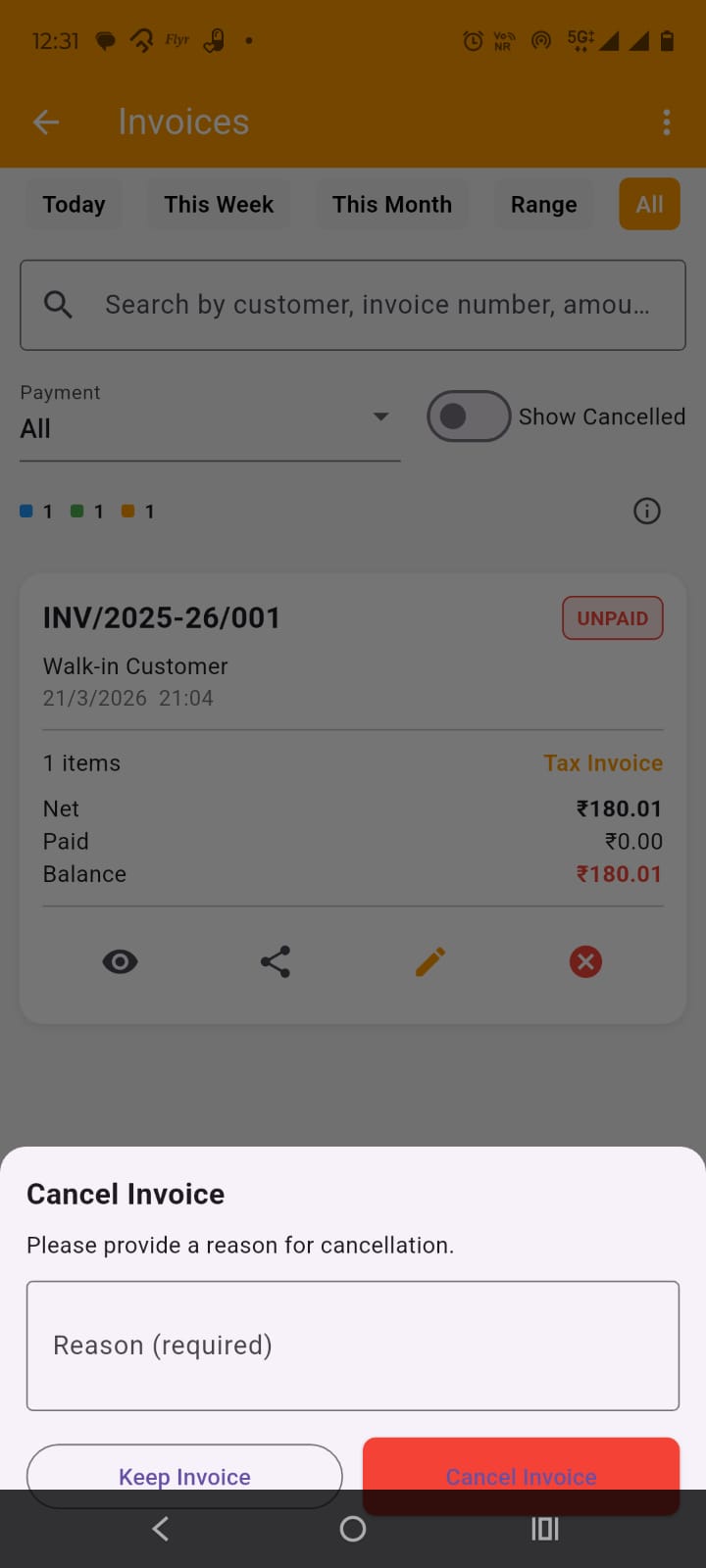
In the Invoice card, important details of the invoice are shown. At the bottom of each card, you get the options to view invoice details, share invoice, edit the invoice and cancel the invoice. Please do note that once a invoice is created it can not be ammended, when you edit a invoice, you are actually cancelling the old invoice and creating a new one. When you cancel a invoice, you have to provide the reason for it as shown in the image
At the bottom, you have + (Plus) FAB button, which is used to open Add (same as Edit) Invoice screen.
By tapping on the Add Sale dashboard FAB button or + (plus) FAB button on the sales (invoices) screen or tapping edit on the sale (invoice) card on the sales screen, opens up the Add/edit invoice screen.
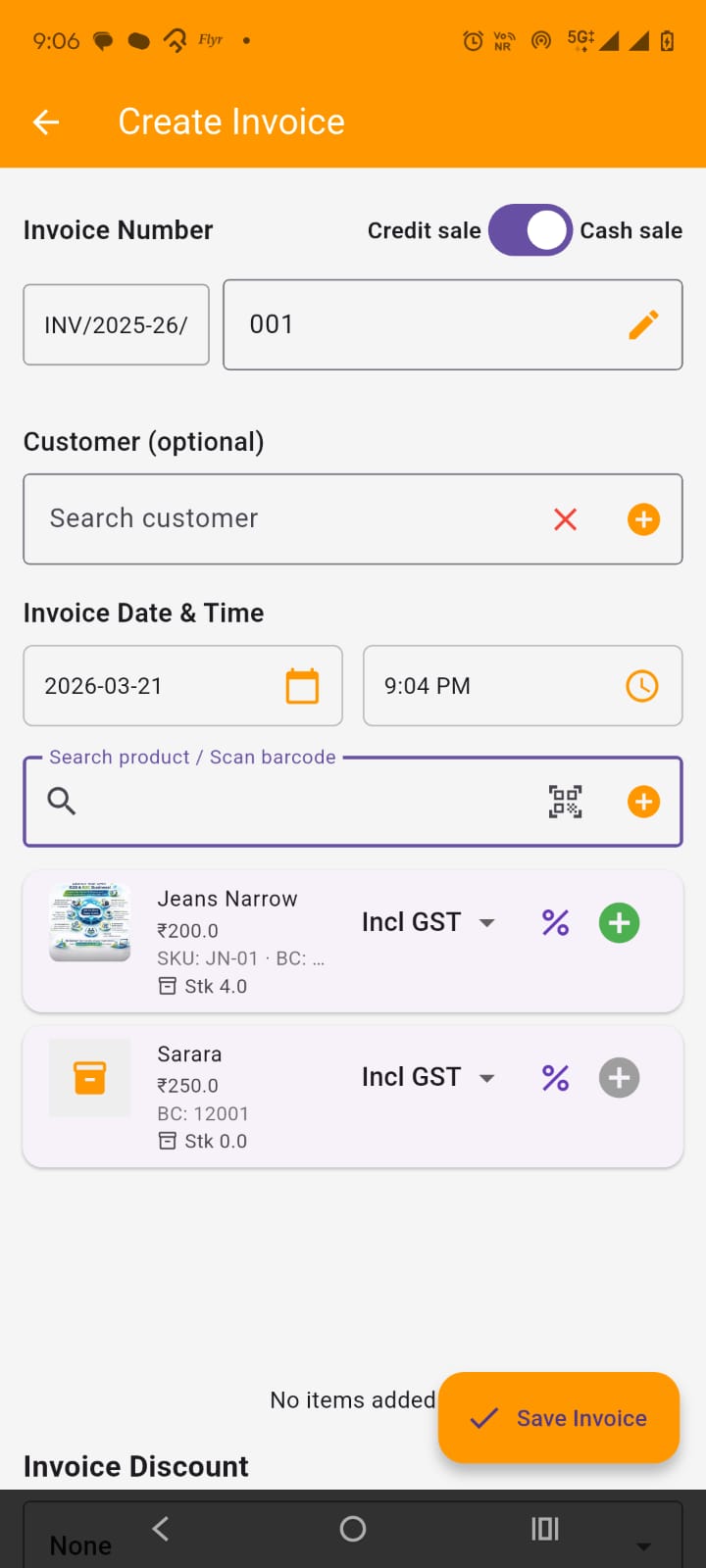
For adding or editing invoices on the screen, you have to keep in mind that if you are a gst registered (regular) seller, you can only issue sale invoice otherwise you can only issue BOS (Bill of Supply). Select Credit Sale vs Cash Sale. If required, change invoice number but it must be unique if you are changing it. :
Select customer. If customer is not listed, you can add it from here itself. For Credit sale, selecting customer is mandatory. Set Invoice date and time, it can not be in future or in past FY.
Below this in the search field you can search the product or service by name, barcode, sku etc or you can simply scan the barcode. you get a list of filtered products from which you can select the item to add to invoice. On selecting the item, it is added to invoice as shown in the image . you can edit its item level discount, price, tax , gst inclusiveness/exclusiveness , qty and remove it from the invoice. you also get its pricing breakdown details.
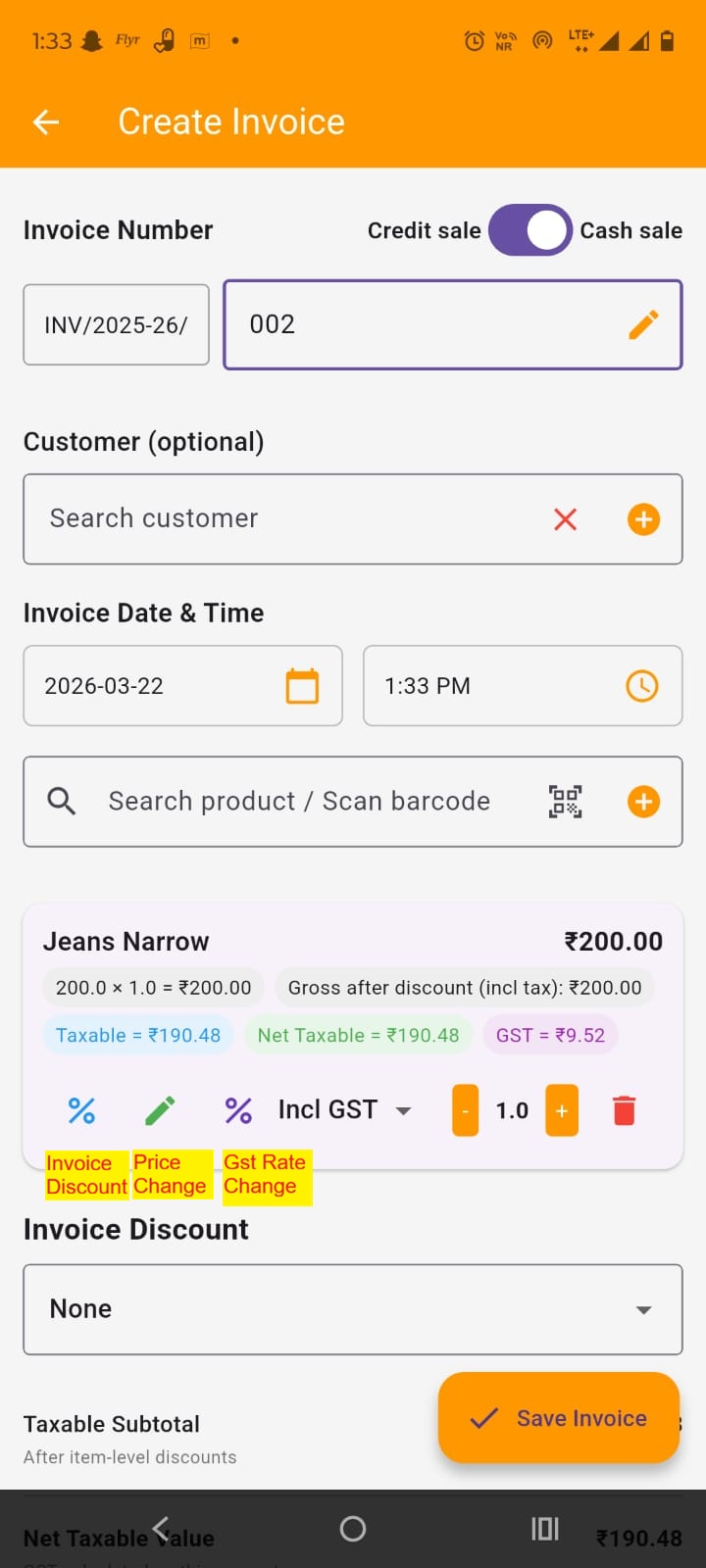
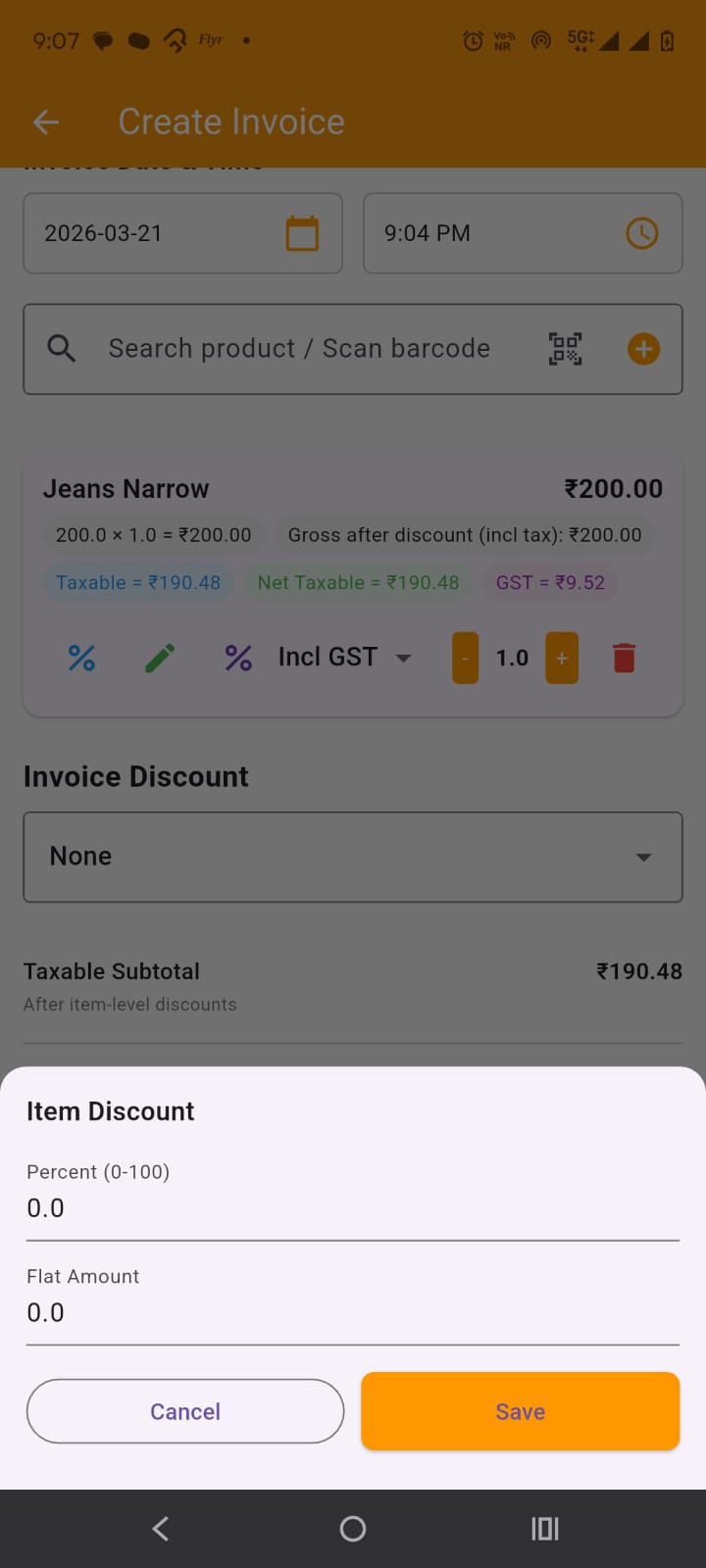
You can add as many items you want to invoice. In invoice item card, by tapping on the change Item discount, the modal appears, where you can set the item discount either by percentage wise or flat amount wise but only one. Percent value overrides the flat amount. The discount can not be more the item price itself.
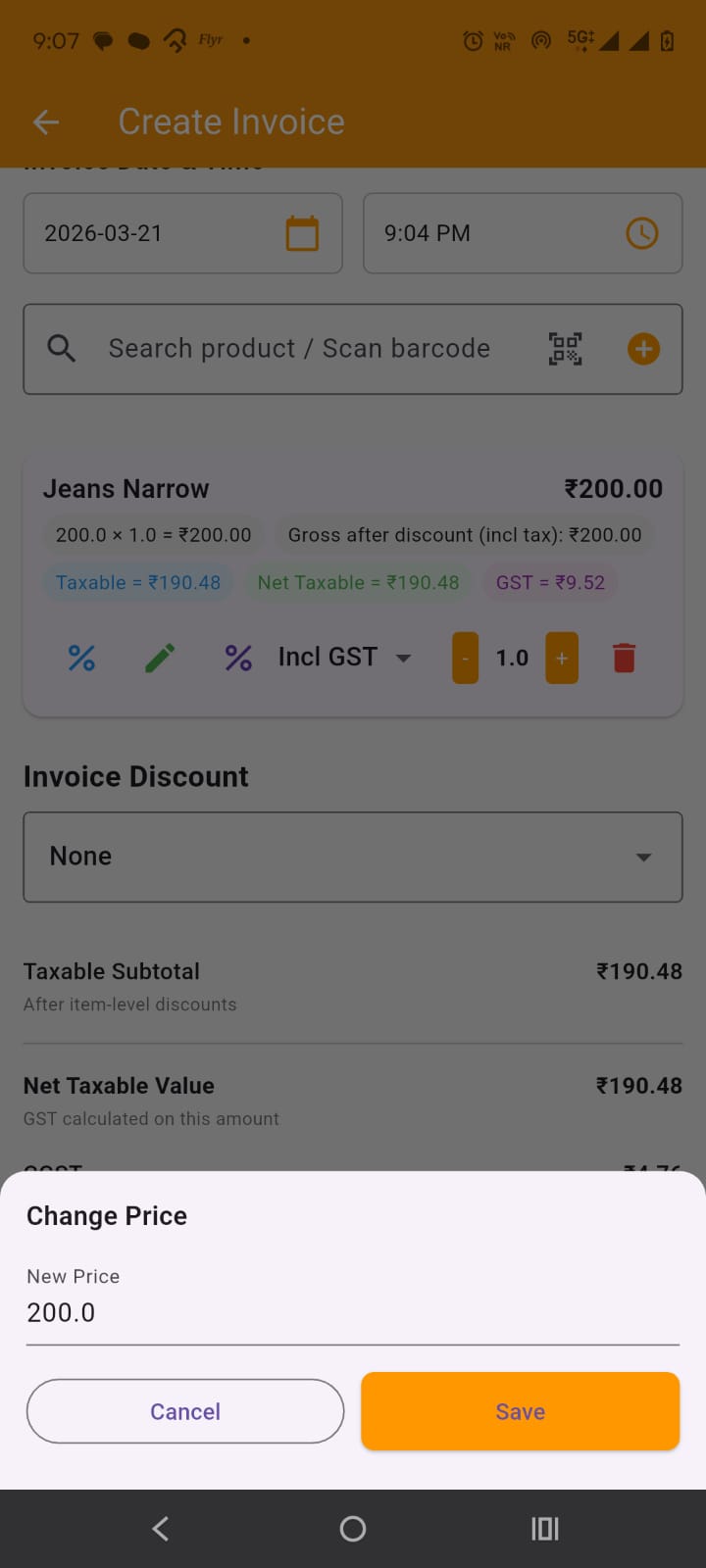
In invoice item card, by tapping the price change icon, a model pops up where you can change item price
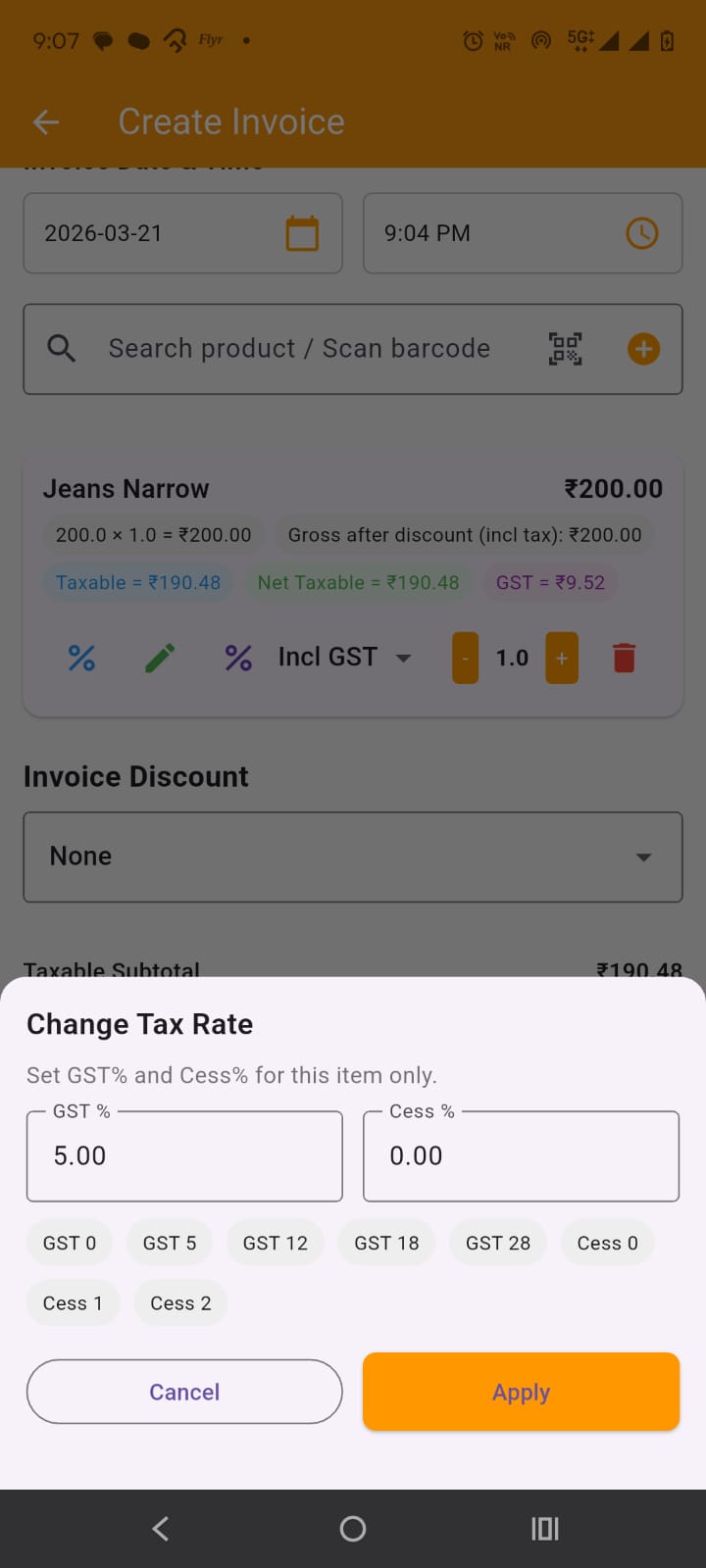
By tapping on the GST rate change icon on the item card, a modal appears, where you can change the gst and cess rate of the item.
You can set the invoice level discount either by percent or flat amount. The discount is proprotionally distributed among items for pricing break downs. Below this you all the total information is displayed. Below that you can enter the payment received amount and mode. It will create entry in the payments and customer ledger and if partial or no payment is made, if will shown outstanding in the dashboard, customer ledger and in payments screens where you can add payment manually later on to clear outstanding.
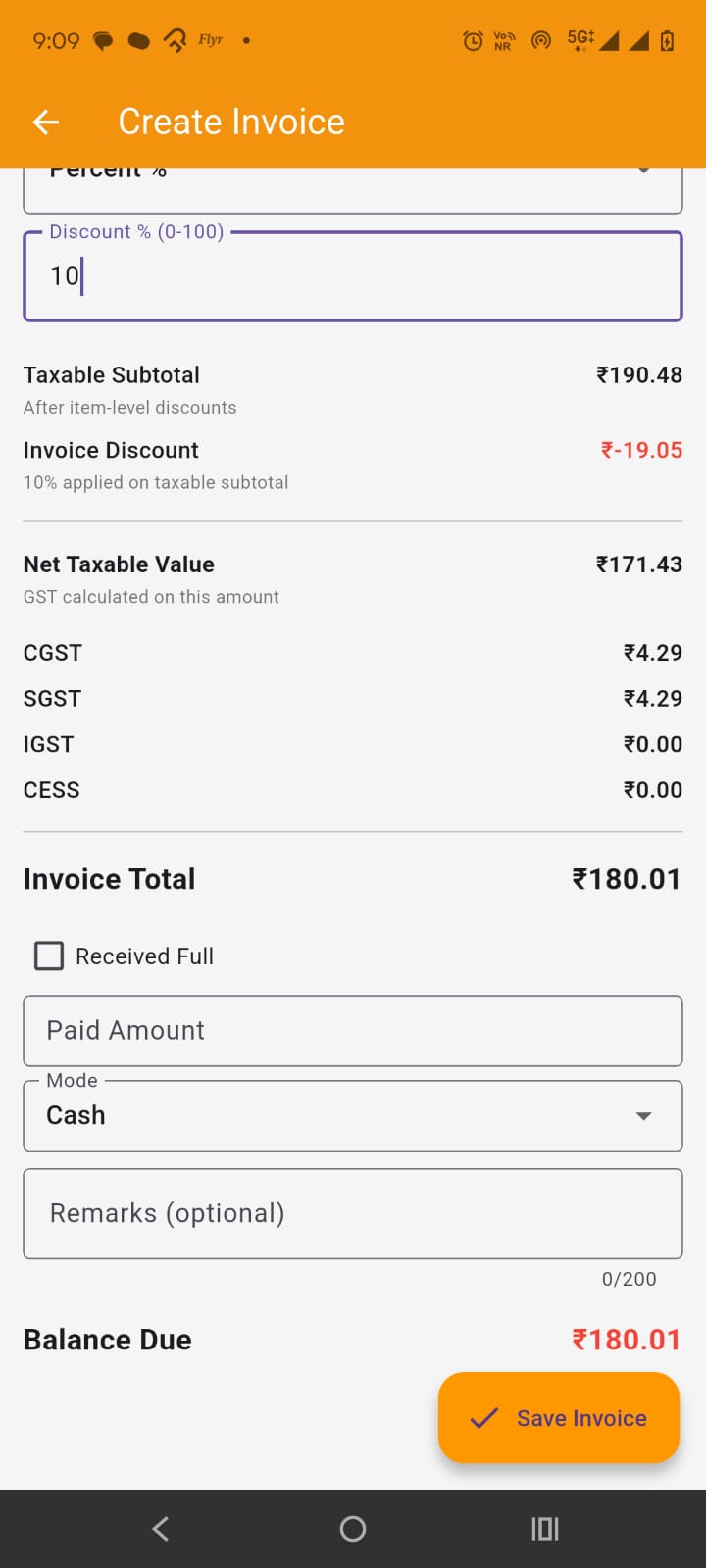
On tapping the save invoice FAB button saves the invoice.
By tapping on the invoice card in the Sales (Invoices) screen, opens up the invoice details screen.
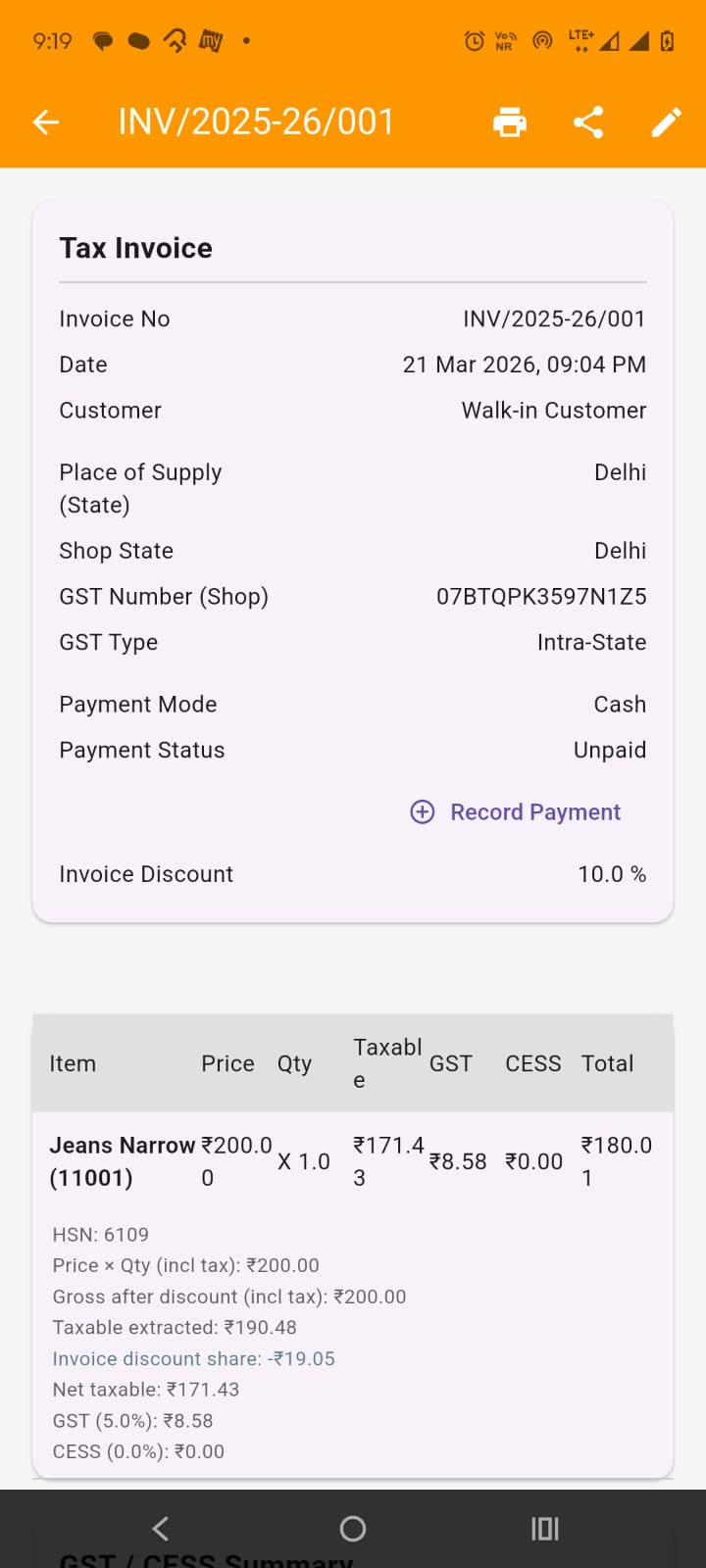
Here you can view all the invoice details, items pricing breakdown, totals breakdown..
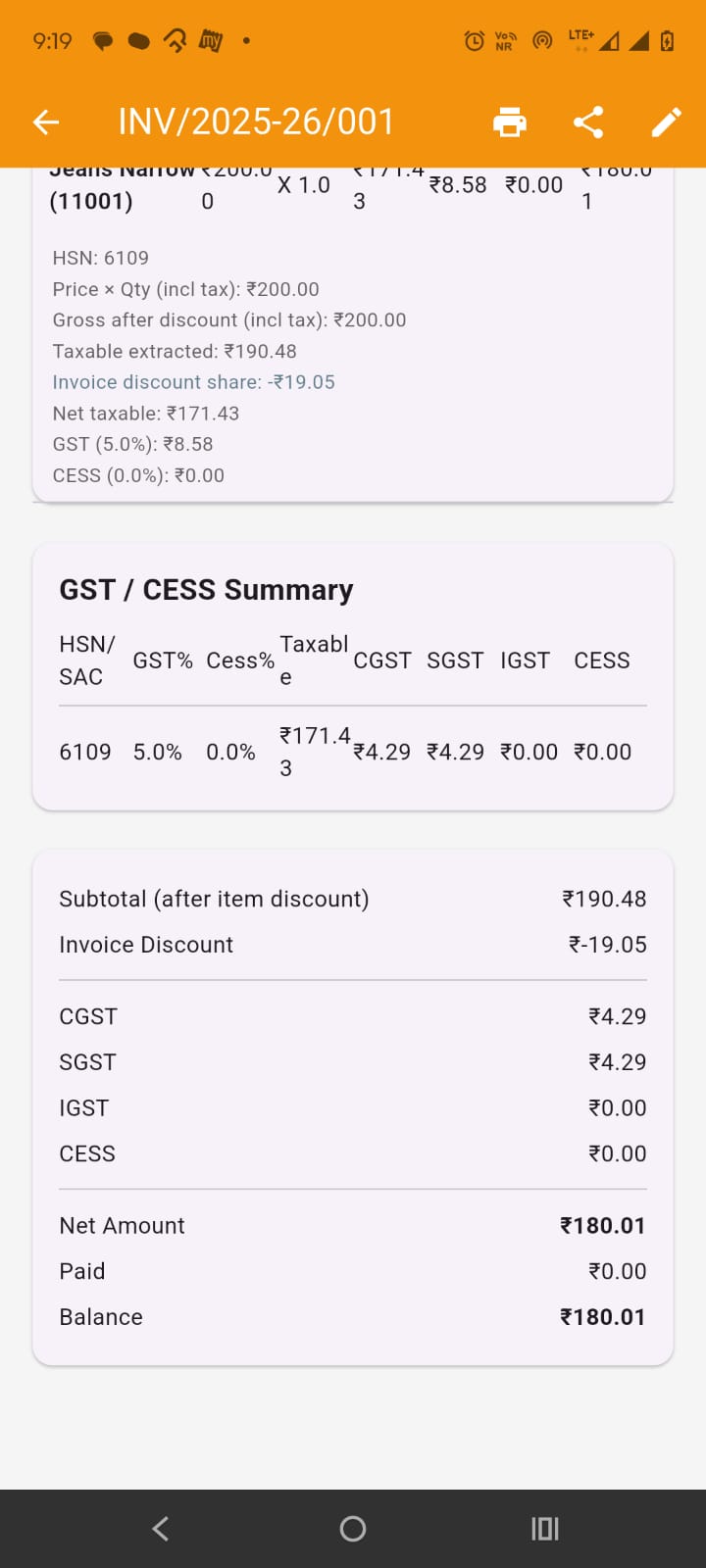
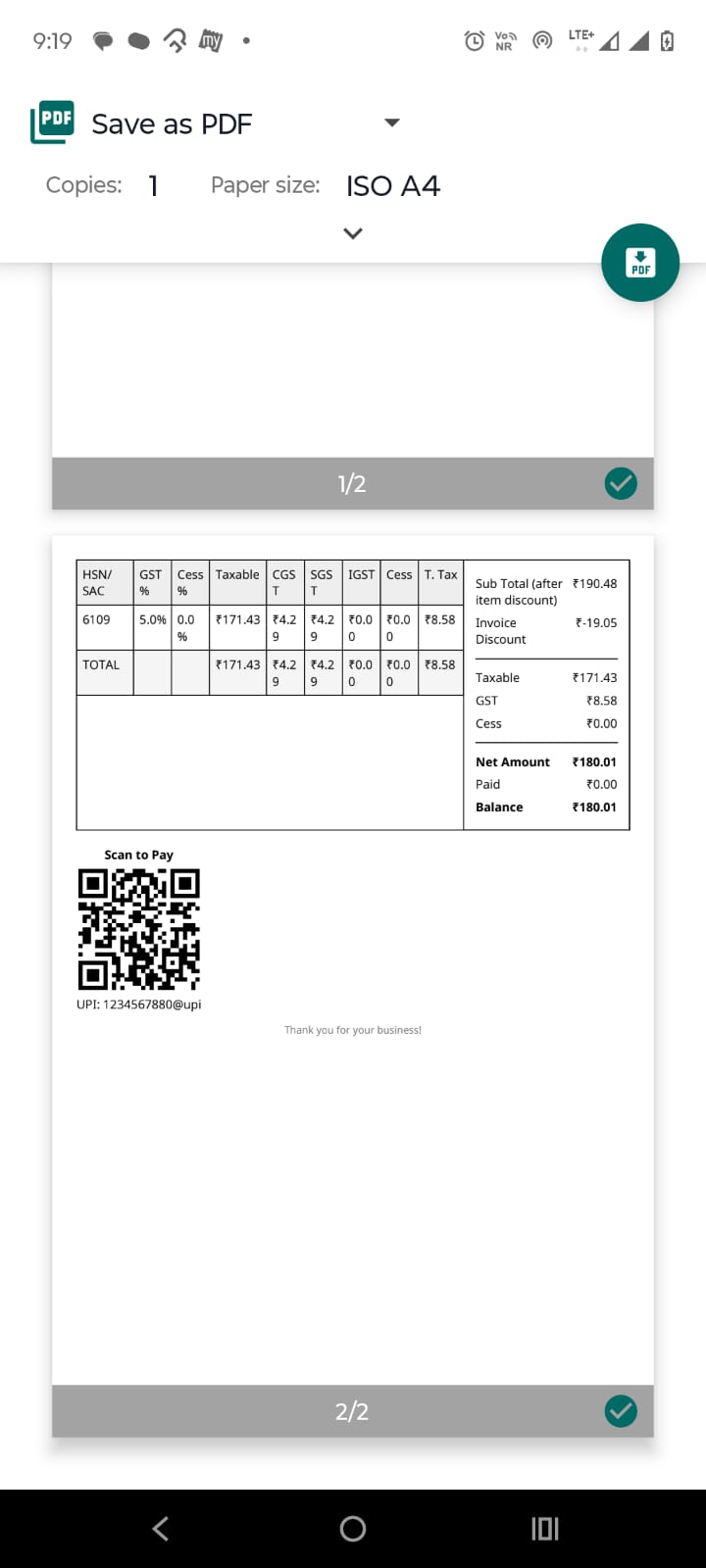
In the app bar you get the options to print the invoice and share the pdf of the invoice as shown in the images.
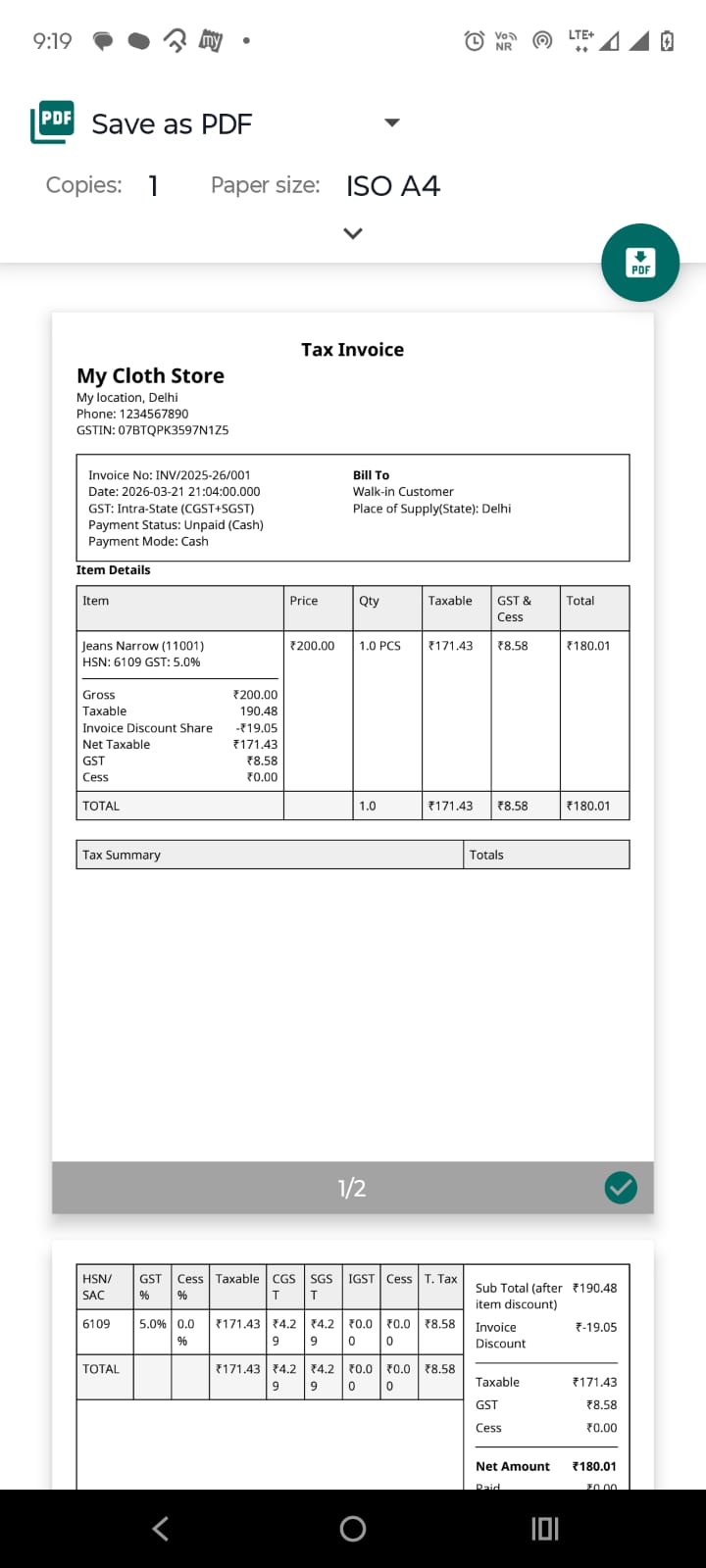
You also get the option to edit the invoice (please do note the editing will cancel current and create new invoice if updated).