VariPOS Documentation
Read module-by-module like an operations story. Every scene tells what to do, what to check, and what outcome to expect.
Read module-by-module like an operations story. Every scene tells what to do, what to check, and what outcome to expect.
Owner review time: profitability and operational performance get measured here.
Profit & Loss is the main screen used to understand business performance for a selected period. It shows how sales, returns, purchases, inventory effect, and expenses combine into final profit or loss.
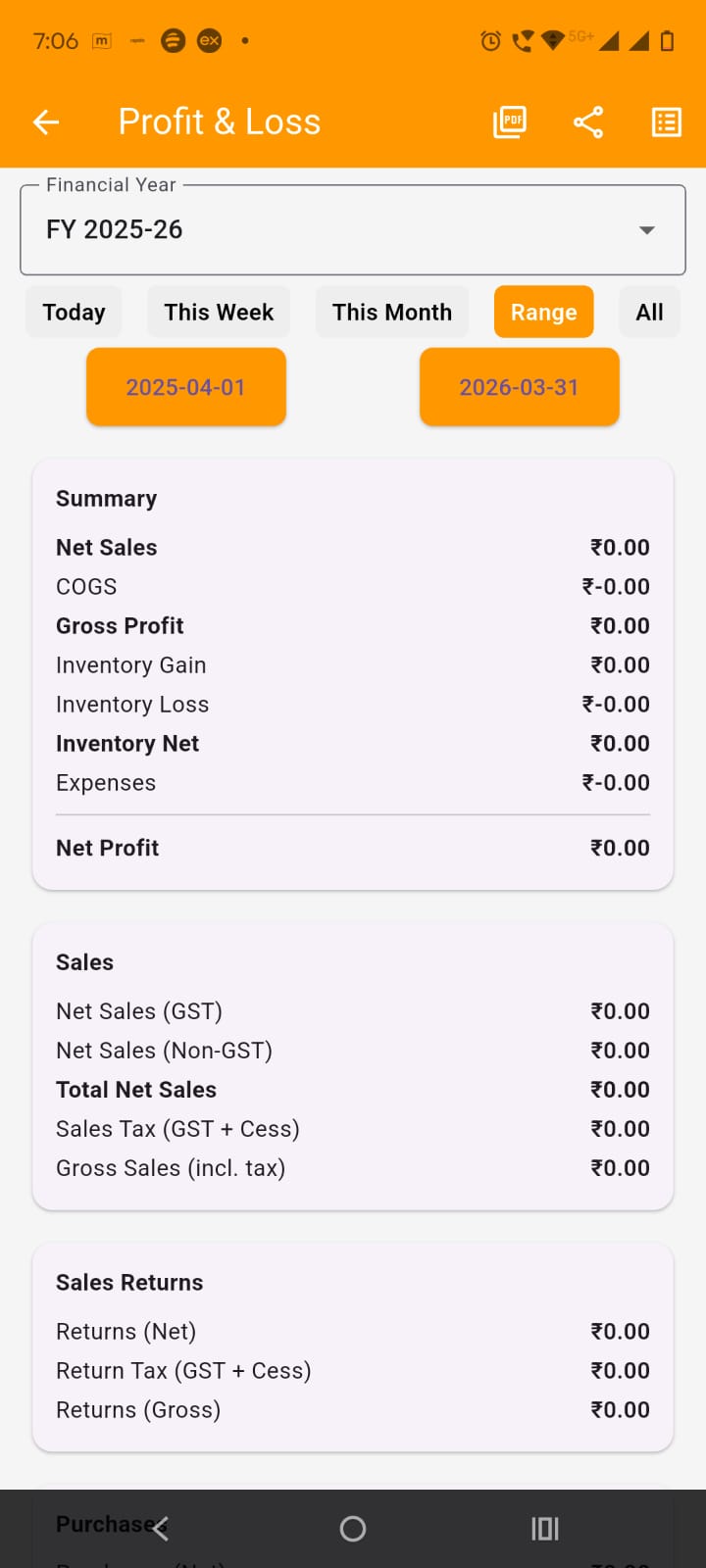
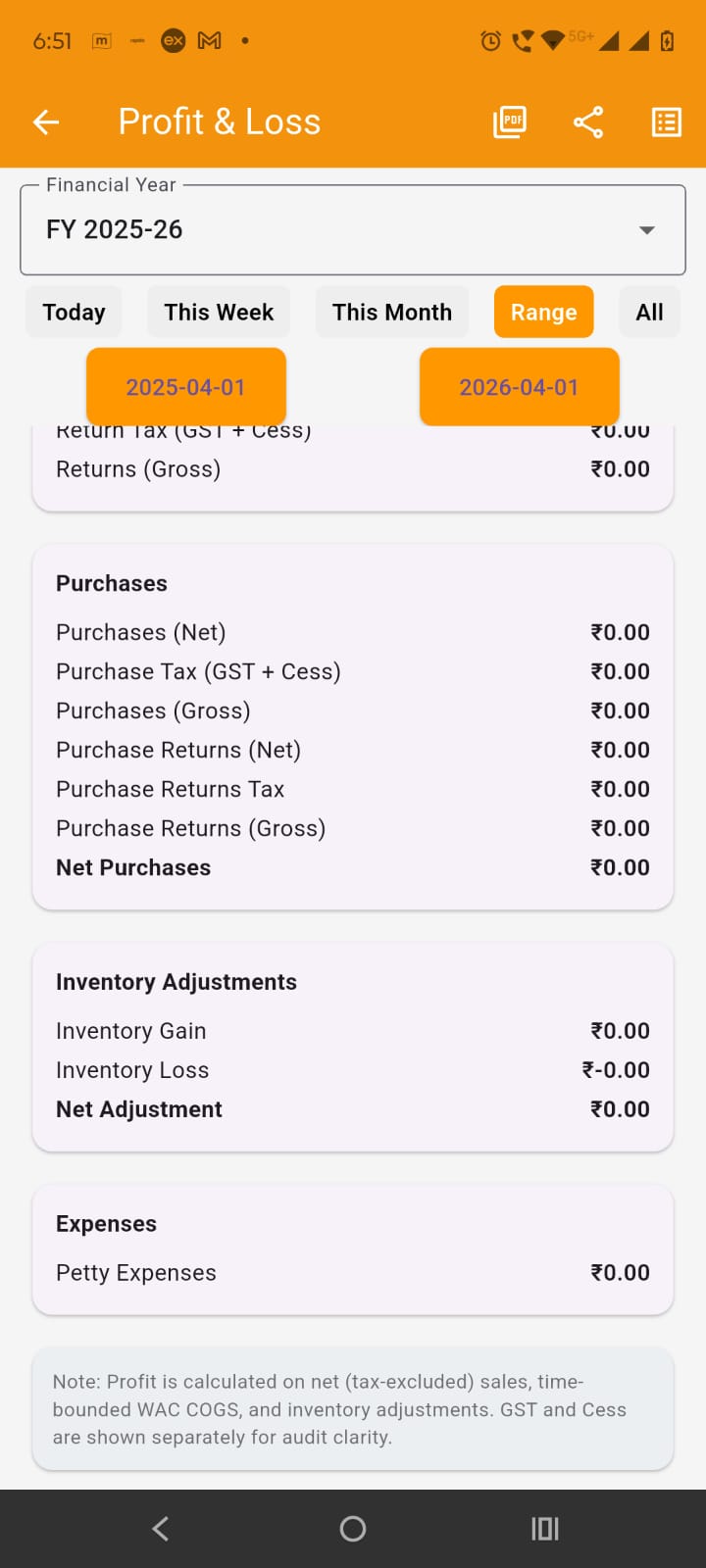
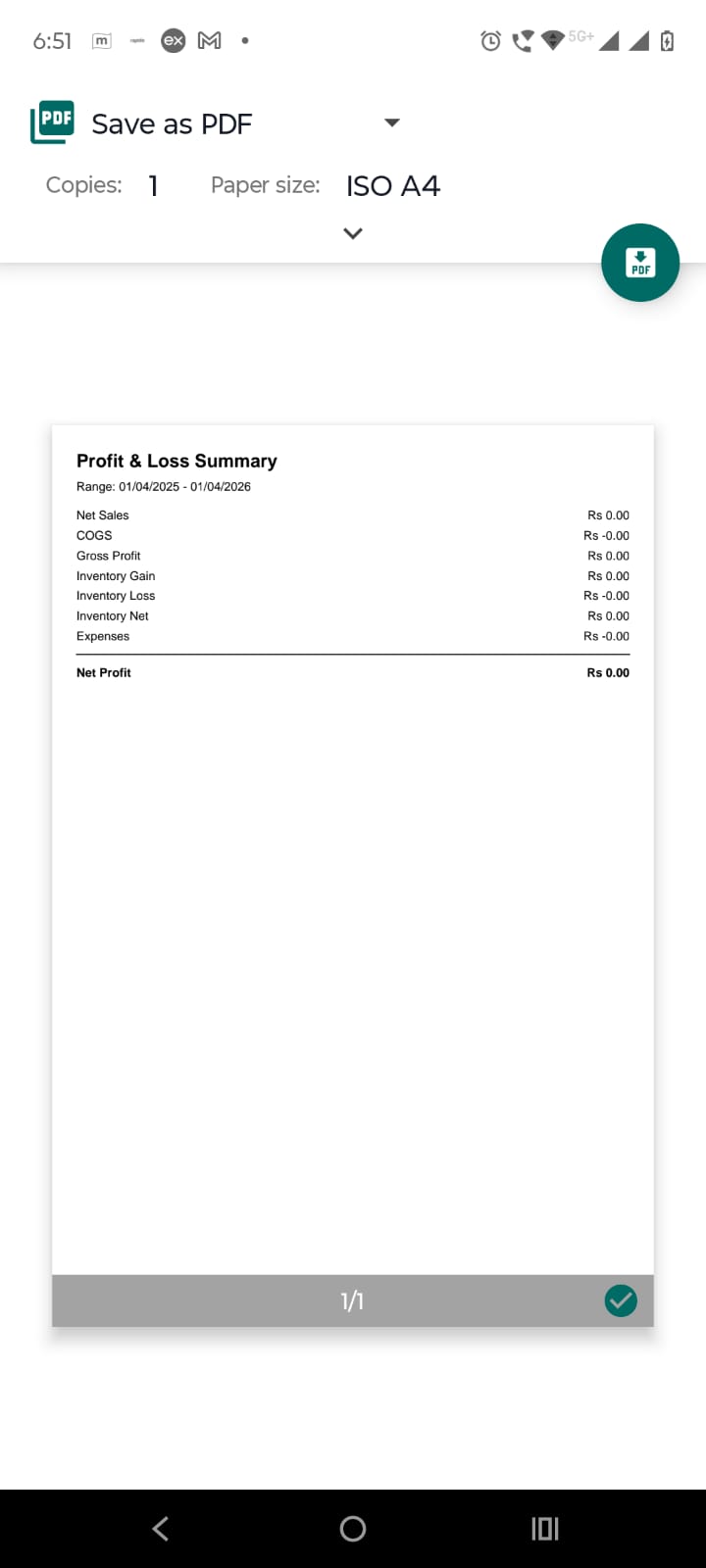
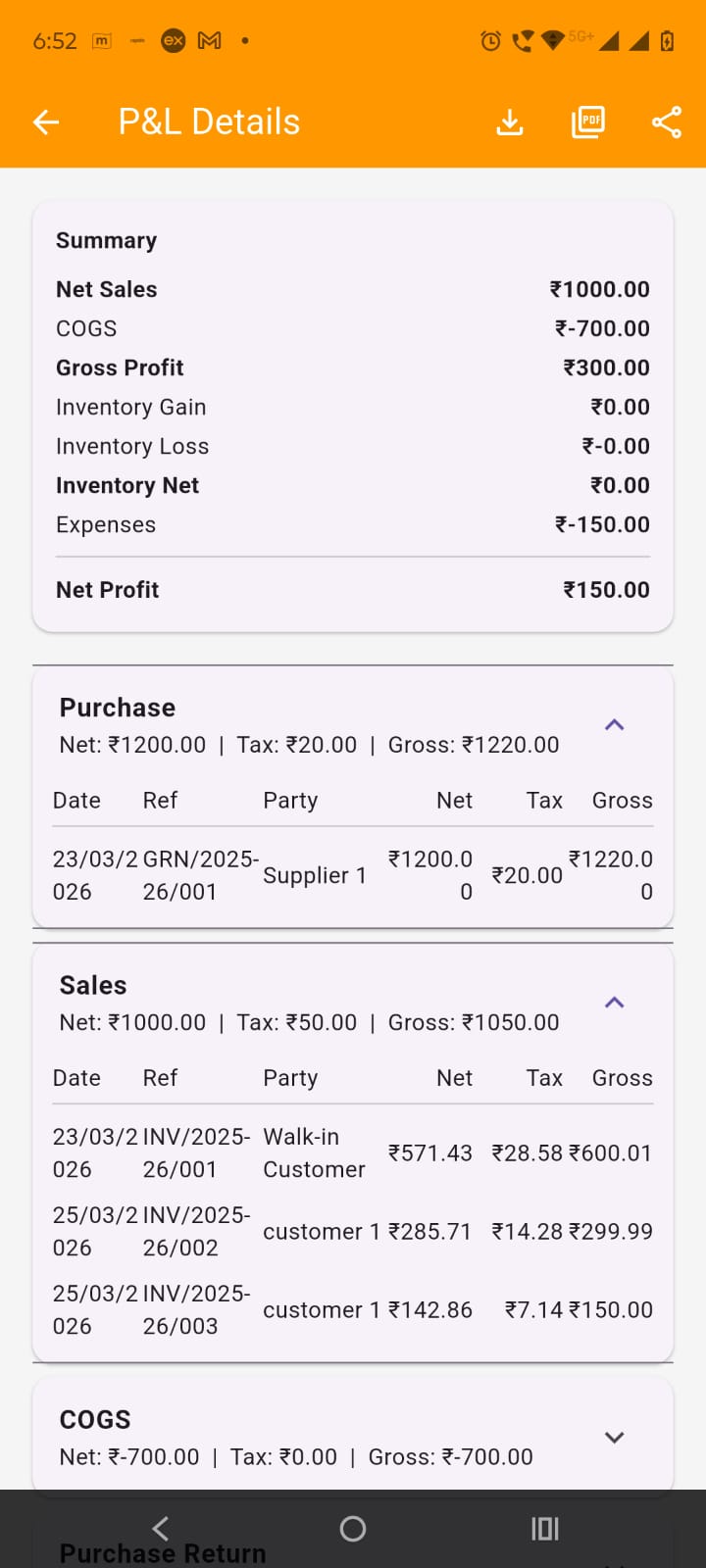
Open details screen: There are three icon buttons in the app bar of the profit & loss screen. First two prints and shares the profit & loss summary. The summary pdf is shown in the image below. Third button is for opening the profit & loss details screen of the date range selected in the profit & loss screen. Use the details screen when you want transaction-wise breakup instead of only totals.
Use the P&L Details screen:
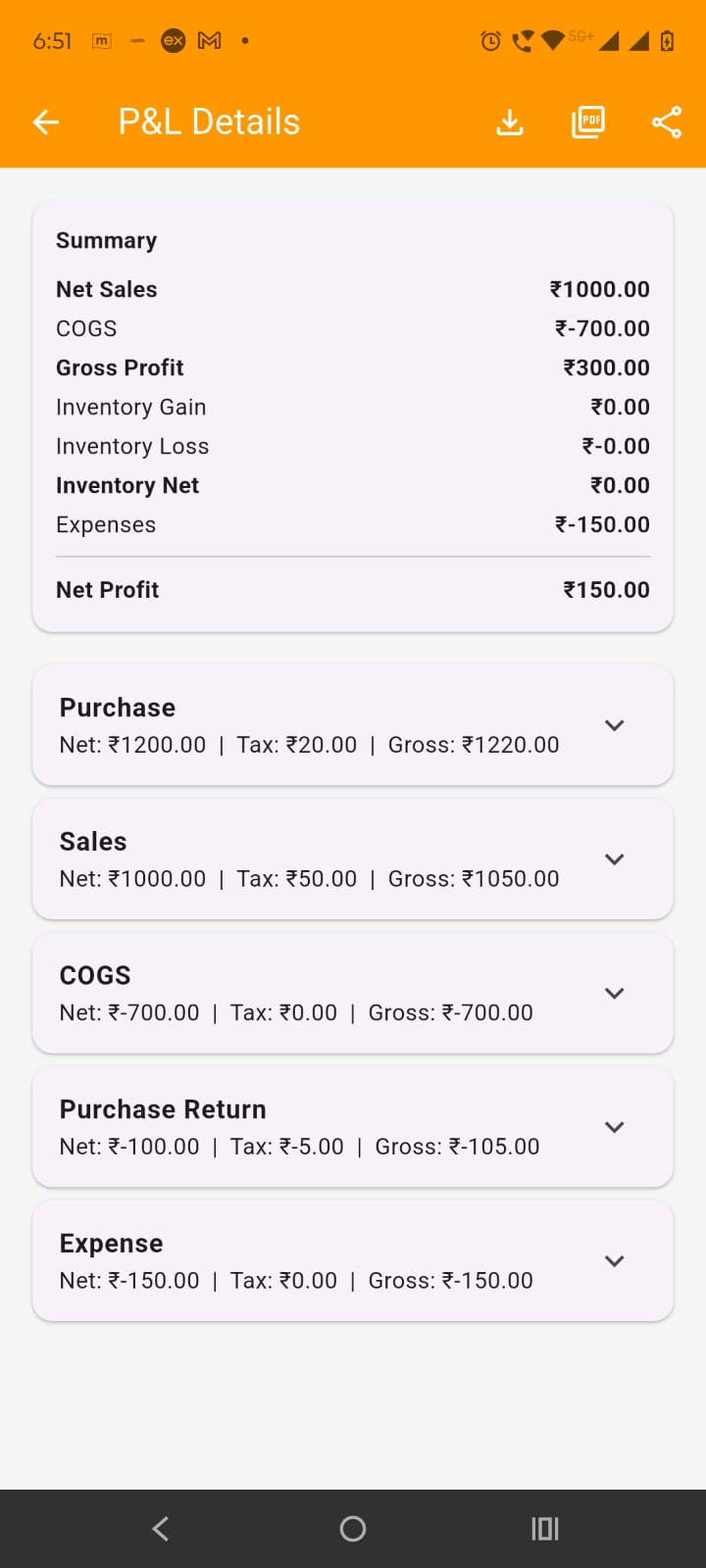
Study each card of the p&l details to understand the breakdown.
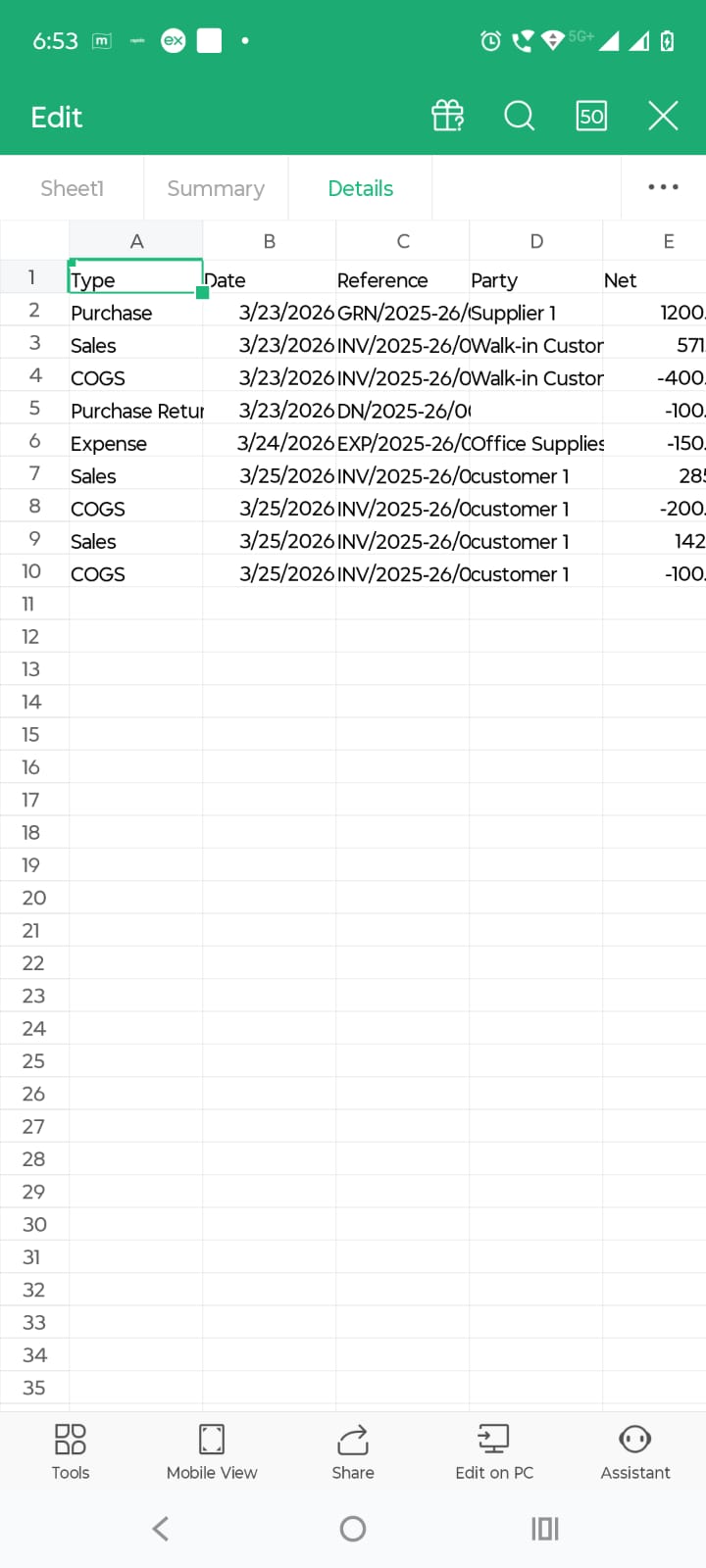
By tapping on the reports in menu or in dashboard, opens the reports screen. Reports is the central place from which you open analysis and compliance screens. It gives a quick business summary and then acts as the entry point to deeper reports.
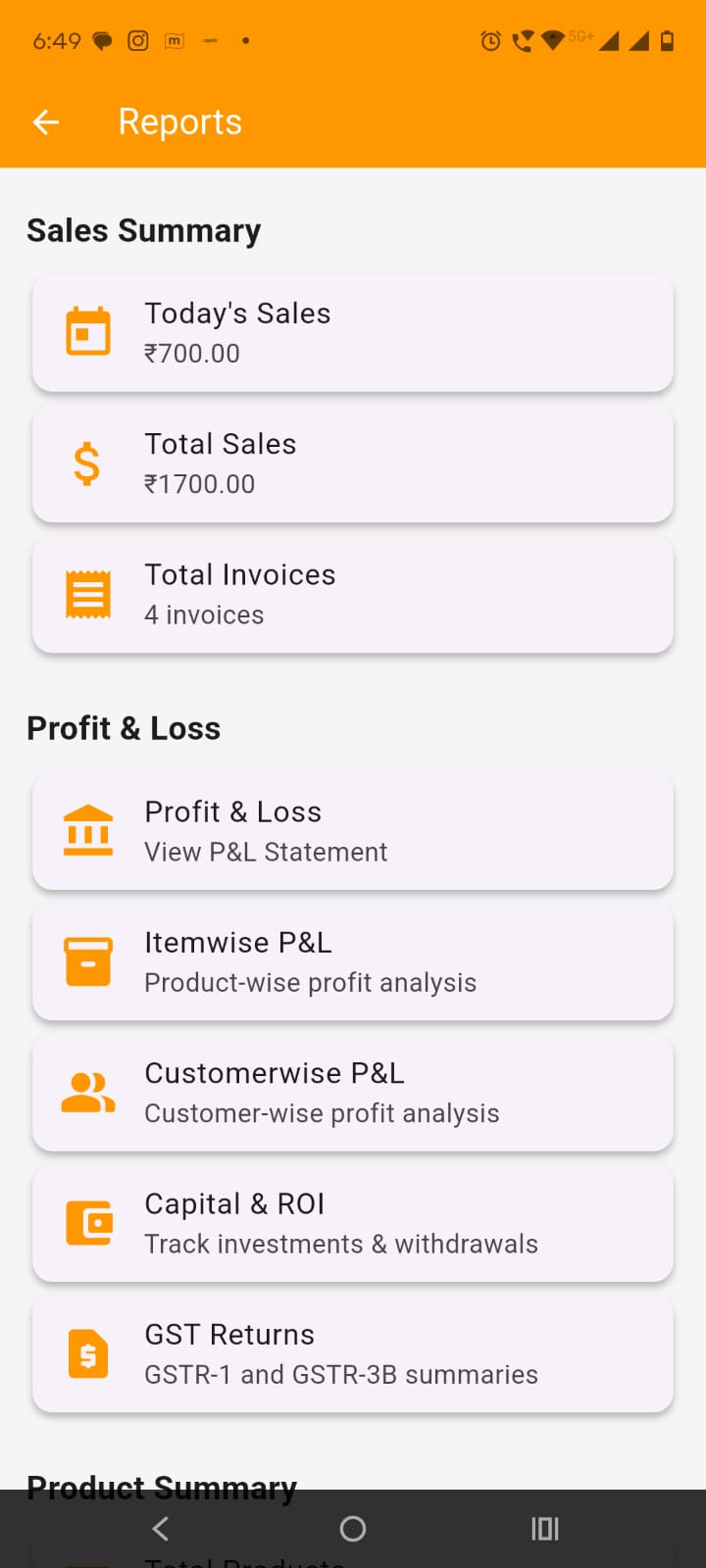
At the top, you will see summary cards such as:
Scroll down and tap the required tile:
Tap Itemwise P&L to open Itemwise Profit & Loss screen. On this screen:
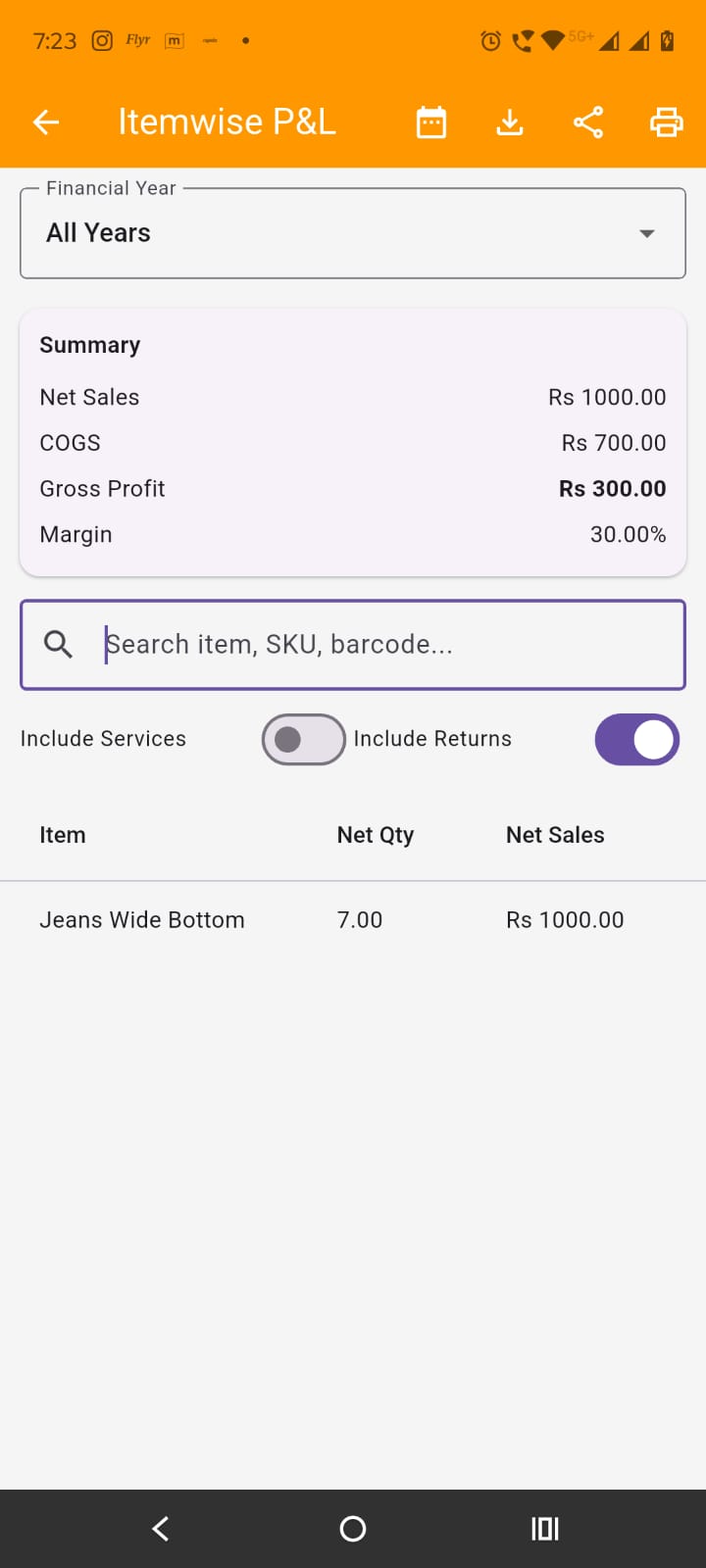
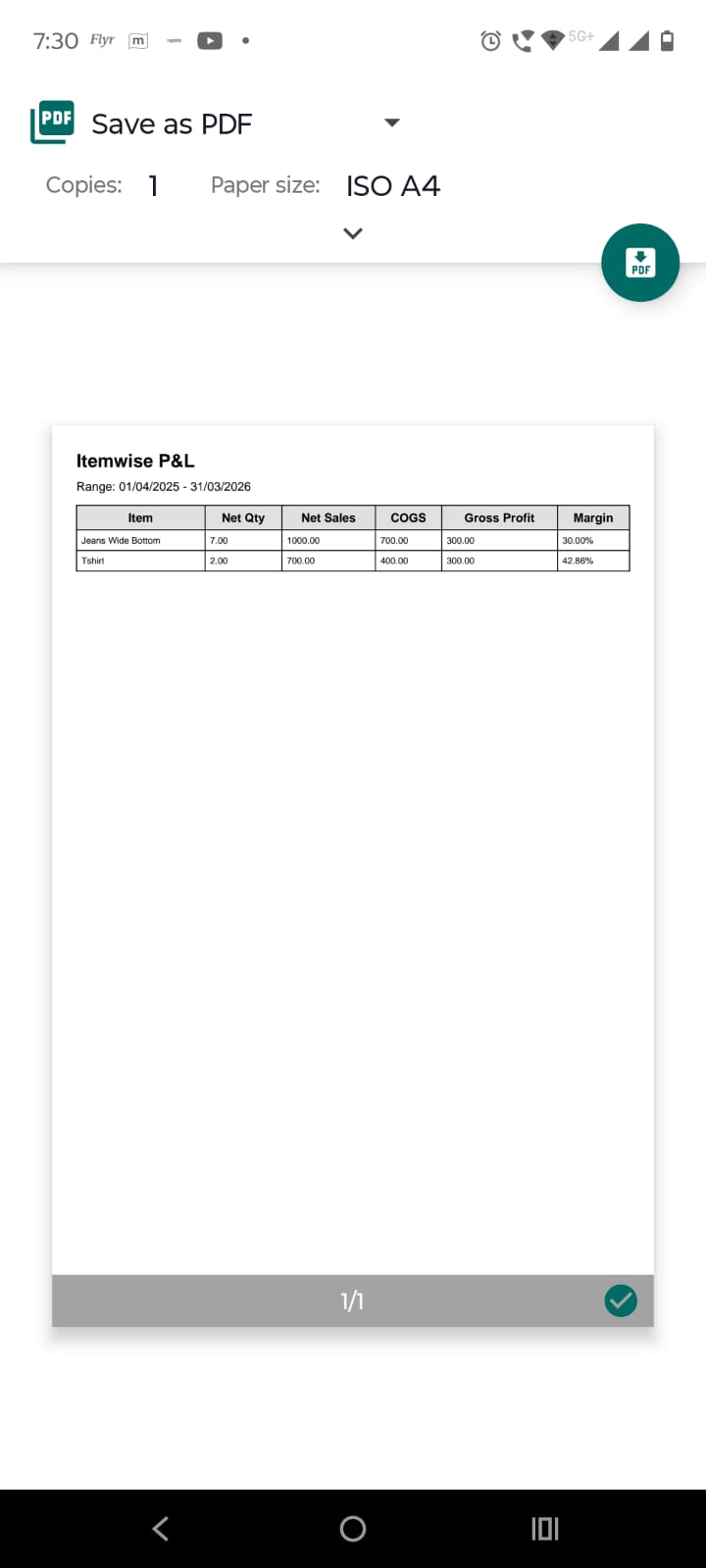
Use Itemwise P&L export actions:
On Reports screen, tap Customerwise P&L to open customerwise profit & loss screen:
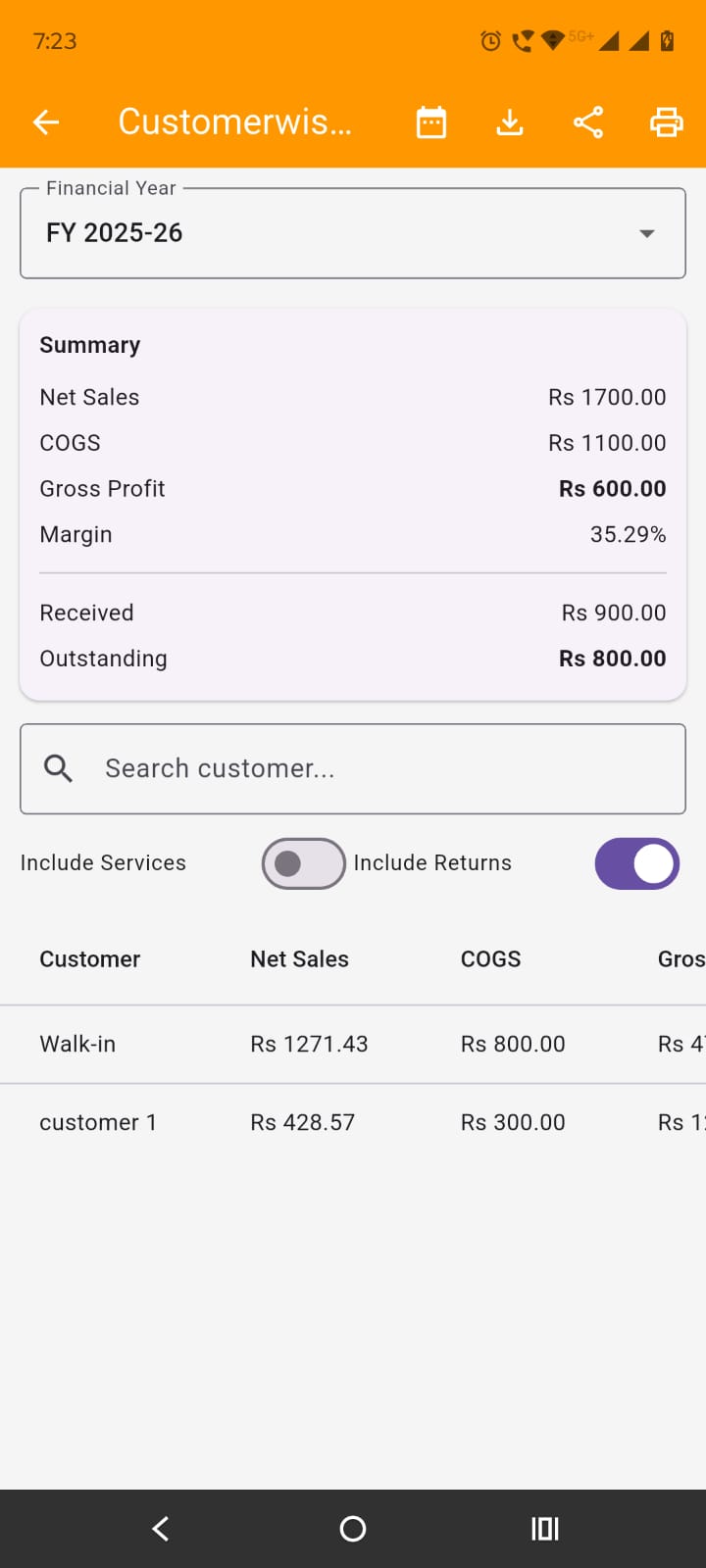
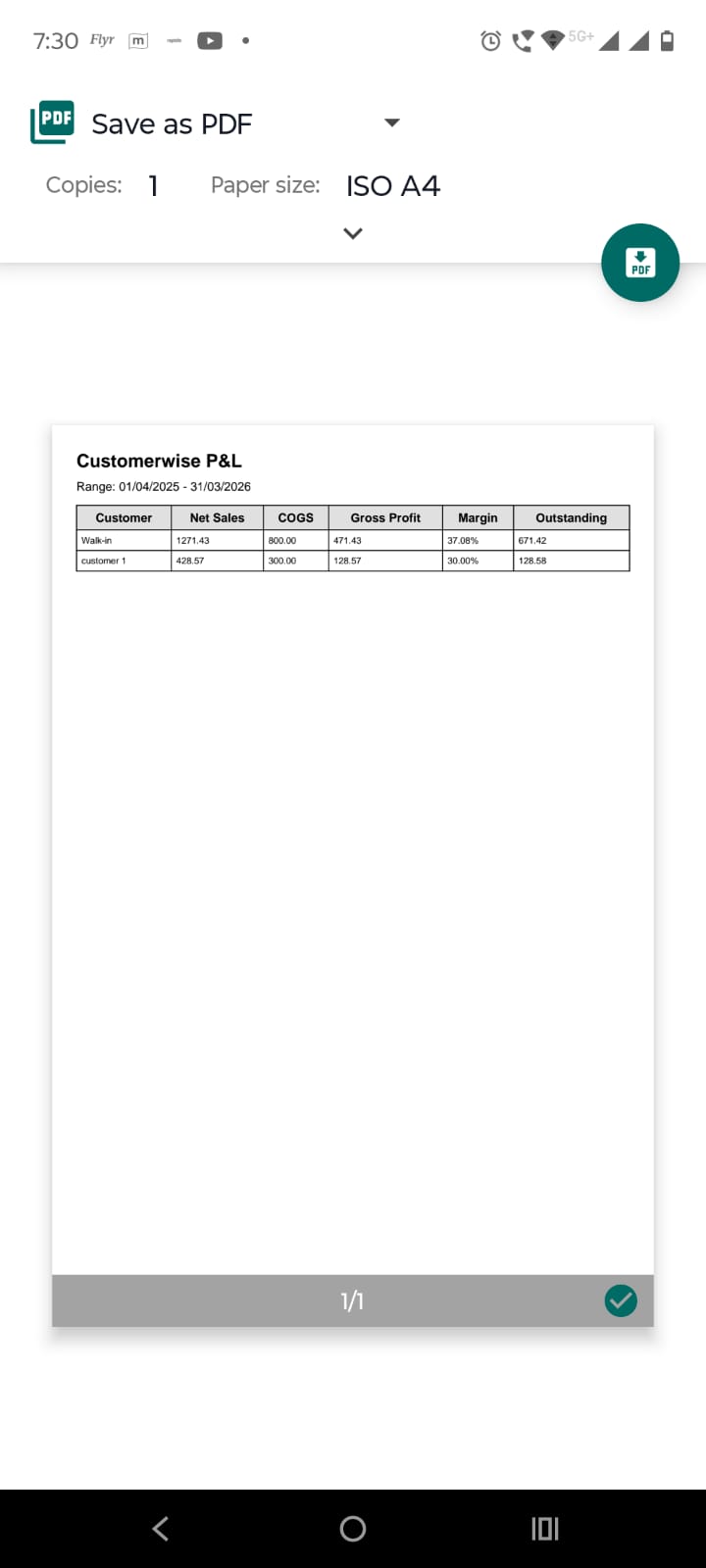
Use Customerwise P&L export actions:
Tapping on the Capital & ROI tile on the reports screen opens the Capital & ROI screen. Capital & ROI is used to record owner capital movement and review capital-related summary for the selected period. It helps track how much money was introduced into or withdrawn from the business.
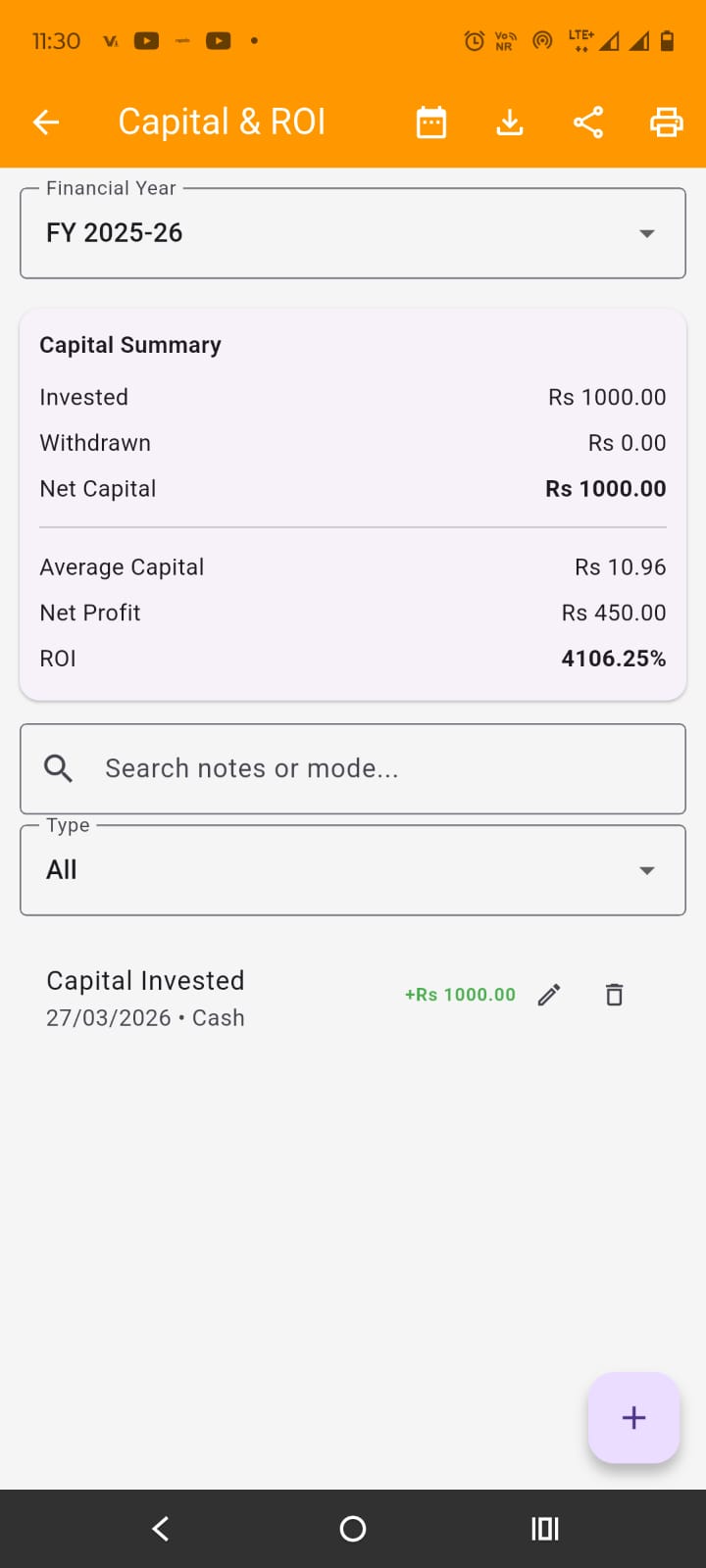
Choose the period:.
At the top, a summary section shows capital-related totals for the selected period. Use this first before checking individual entries.
Search or filter entries:
Add a new capital entry: Tap the + floating action button at the bottom of the screen. A bottom sheet opens for adding a capital transaction:
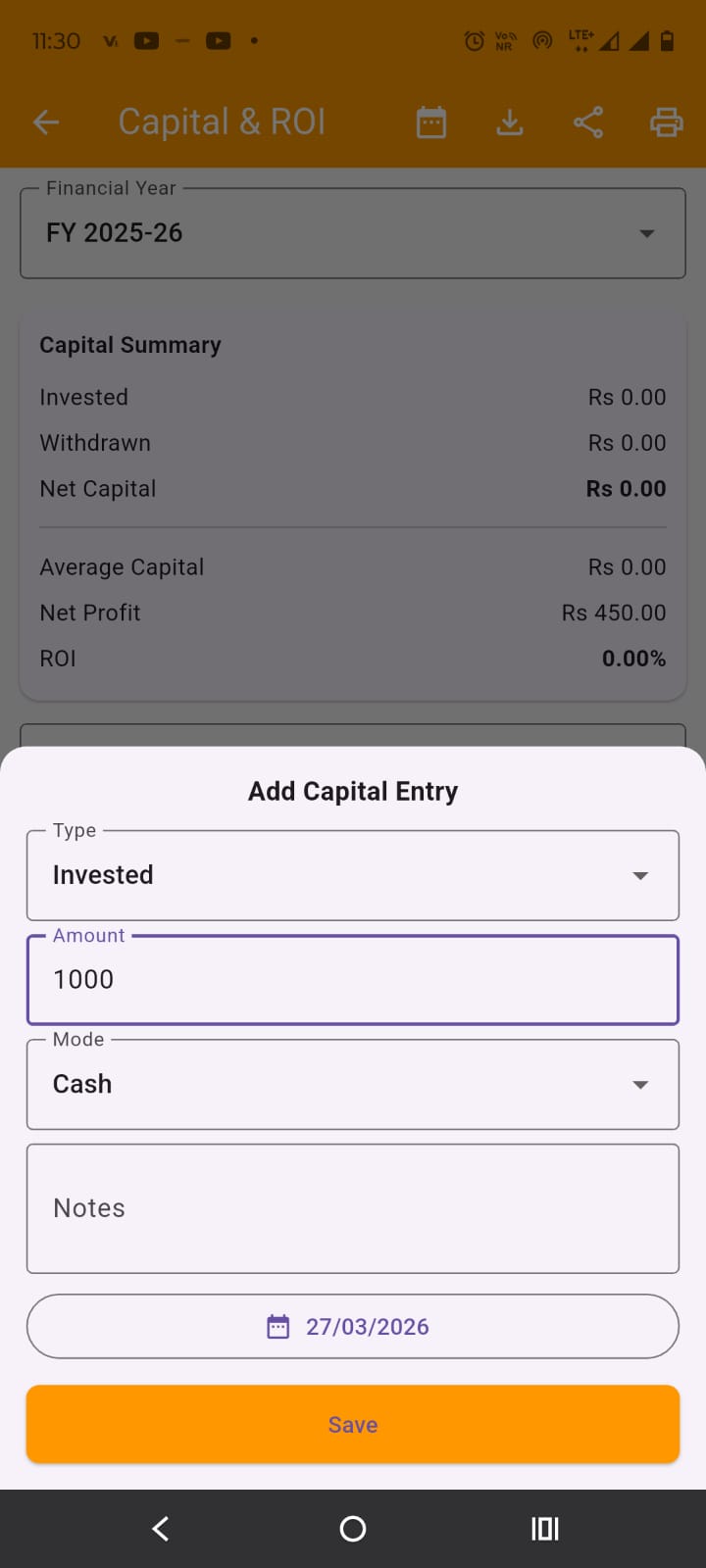
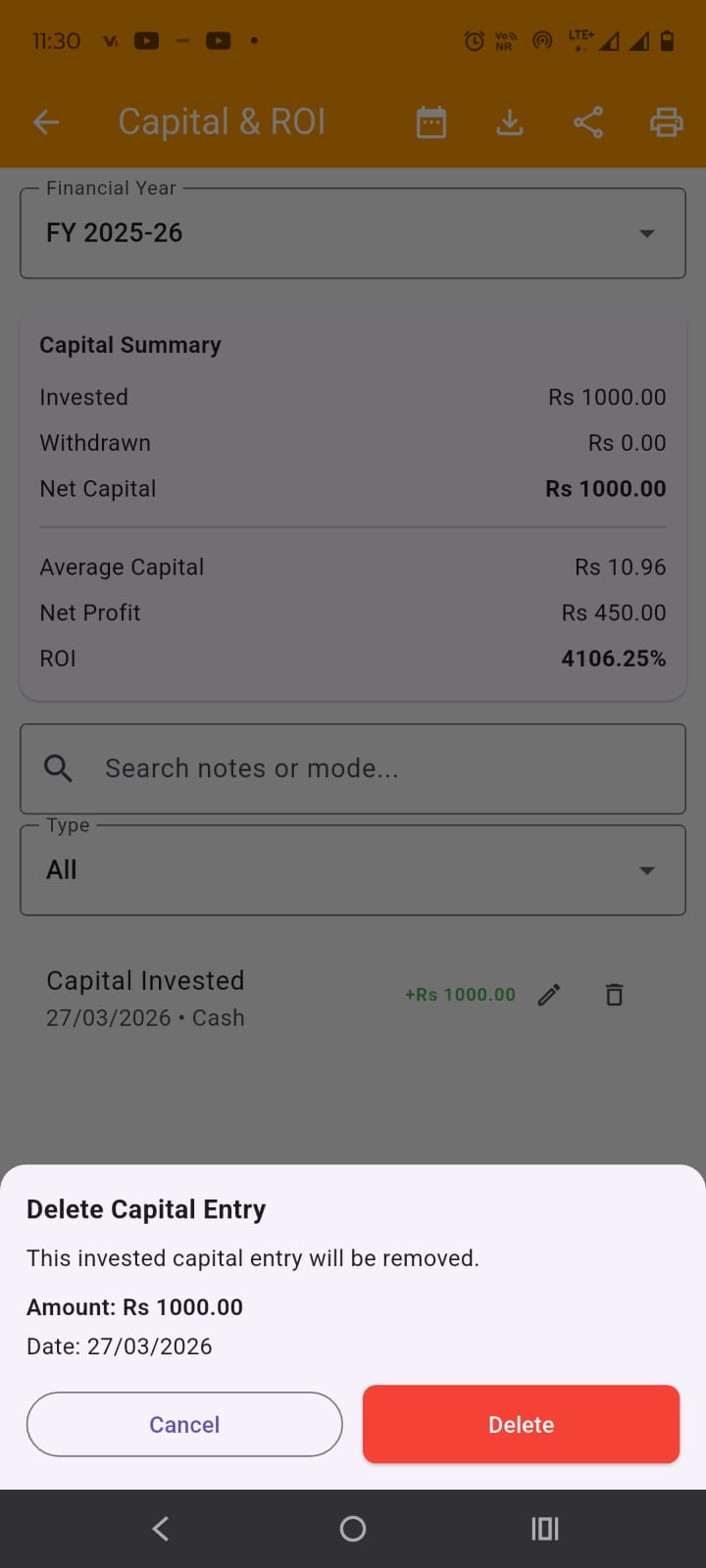
Below filters, capital entries are listed. you may delete a capital entry pressing delete icon before it. A popup will appear where you can confirm to delete it. You can also edit a capital entry by pressing edit icon button.
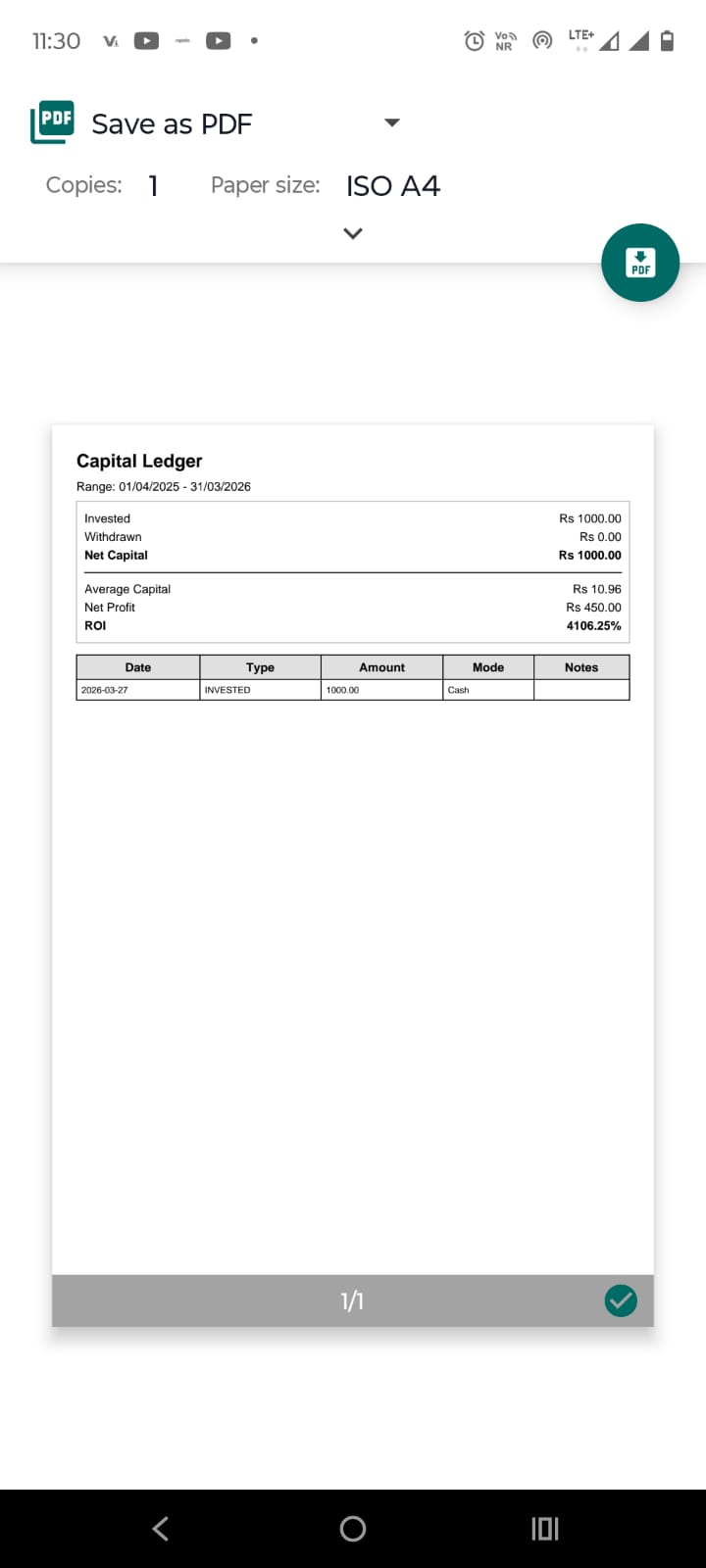
Export capital data: