
VariPOS Documentation
Read module-by-module like an operations story. Every scene tells what to do, what to check, and what outcome to expect.
Read module-by-module like an operations story. Every scene tells what to do, what to check, and what outcome to expect.
Before billing starts, the catalog is prepared so your team works with clean data.
Create clean master records and import in controlled batches.
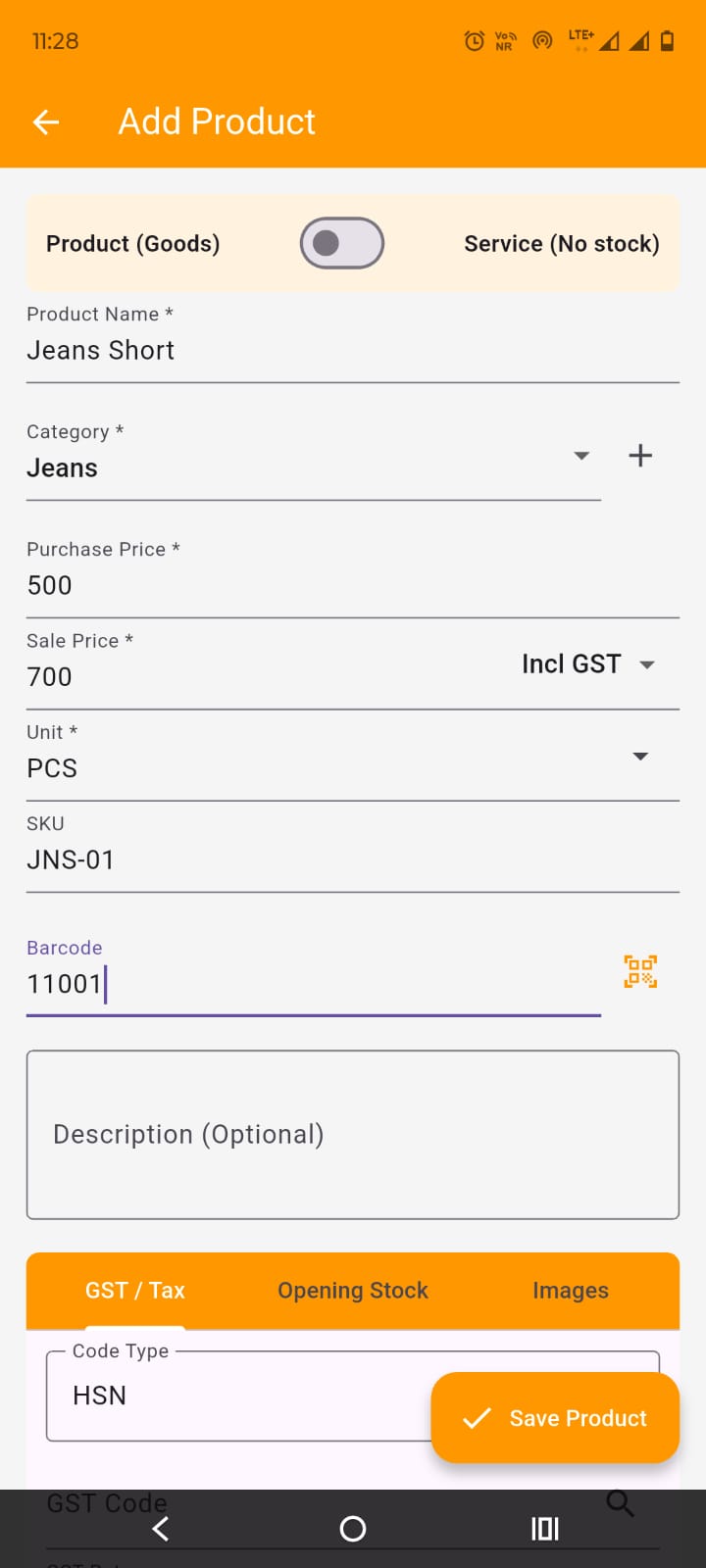
Define naming convention: include unit and variant where useful.
Keep product/service type stable after usage to avoid analytics distortion.
Set price mode and GST rate correctly; validate barcode and stock fields.
Create clean master records and import in controlled batches.
Capture phone and basic address for follow-up and ledger communication.
Use import templates for initial migration; resolve all validation errors first.
Avoid duplicates by standardizing naming and phone format conventions.
Create clean master records and import in controlled batches.
Create a lean category structure that aligns with reporting needs.
Avoid deleting categories in active use; archive patterns are preferred.
Define expense categories before posting live expenses.